
Your contracts and reports, found in your email
Distributor reports, signed contracts and invoices arrive by email, then get lost there. Labelmate reads the label's mailbox without touching anything, and brings you each document where it belongs.
What it finds
What matters for your statements, and nothing else
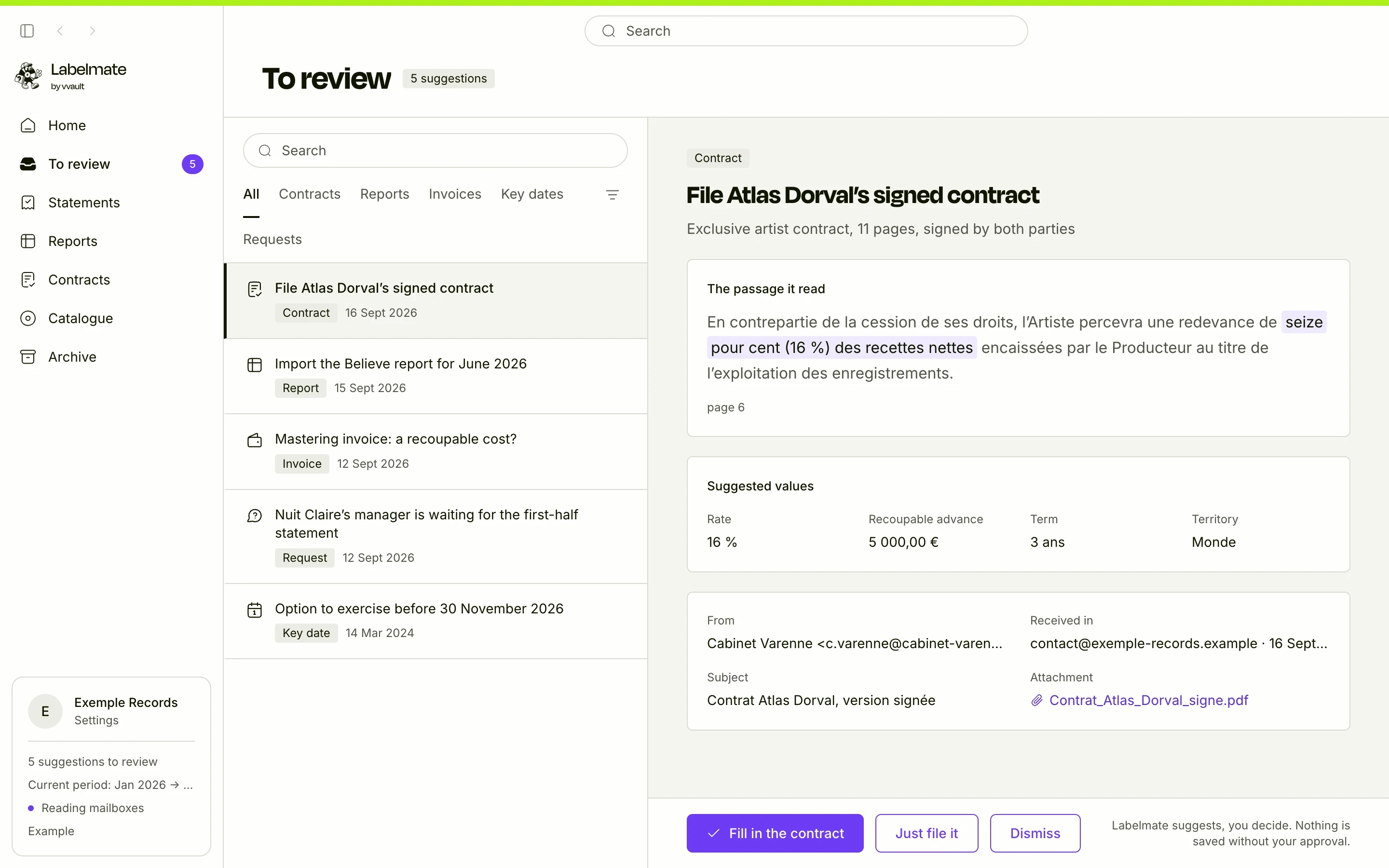
Labelmate goes through the label's emails and their attachments: the history first, then each day's mail. Simple rules set aside newsletters and notifications; demos and music links are filed apart, and the AI never reads them.
What concerns your statements lands in “To review”, with the email it came from: the sender, the date, the attachment. Reports are recognised by their columns, without AI; contracts, invoices and deadlines by the AI, if you switch it on. Requests left unanswered, also shown in the picture, come later.
- Contracts and their amendments
- Distributor reports, as CSV, Excel or ZIP
- Invoices that may be recoupable costs
- Deadlines written in contracts, such as an option to exercise
How it works
Connecting a mailbox takes two minutes
- 1
Give the address and its password
Labelmate fills in the server for Gmail, iCloud, Yahoo and several other providers. The password stays in your computer's keychain, nowhere else.
- 2
Labelmate reads in the background
It goes through the mailbox's history, then follows new mail while the app is open.
- 3
You decide in “To review”
For each document found, you accept or dismiss. Nothing is saved without your click.
- 4
Each document goes to its place
A contract goes to its artist's page, a report to its period, an invoice to the costs to recoup.
Read-only
Labelmate touches nothing in your mailbox
Nothing moved or deleted
Labelmate opens your folders read-only: your emails stay where they are, read or unread as before.
Nothing goes out on its own
Labelmate only sends an email when you ask: an issued statement, to the artist, from your own mailbox, after you have checked the recipient and the text.
Any IMAP mailbox
Gmail (with an app password), iCloud, Yahoo, and any mail service that accepts IMAP.
Outlook and Microsoft 365, soon
Microsoft no longer accepts a password to read a mailbox over IMAP. Signing in through Microsoft's own page is ready in the app and coming soon.
Questions
Does the AI read all my email?
No. The AI is off by default, and you switch it on mailbox by mailbox. Even then, it only reads administrative documents: newsletters, notifications and music are never sent to it, and IBANs, card and social security numbers are masked before anything is sent.
Are my emails copied to your servers?
No. The app reads them on your computer, and what it keeps stays in the label's encrypted database. Only the sealed copies that keep your computers in step go through our relay, and we cannot read them.
Can I connect several mailboxes?
Yes: the label's contact address, the accounts one, your own. Each mailbox has its own AI setting.
Go further
How Labelmate protects your dataThe other features
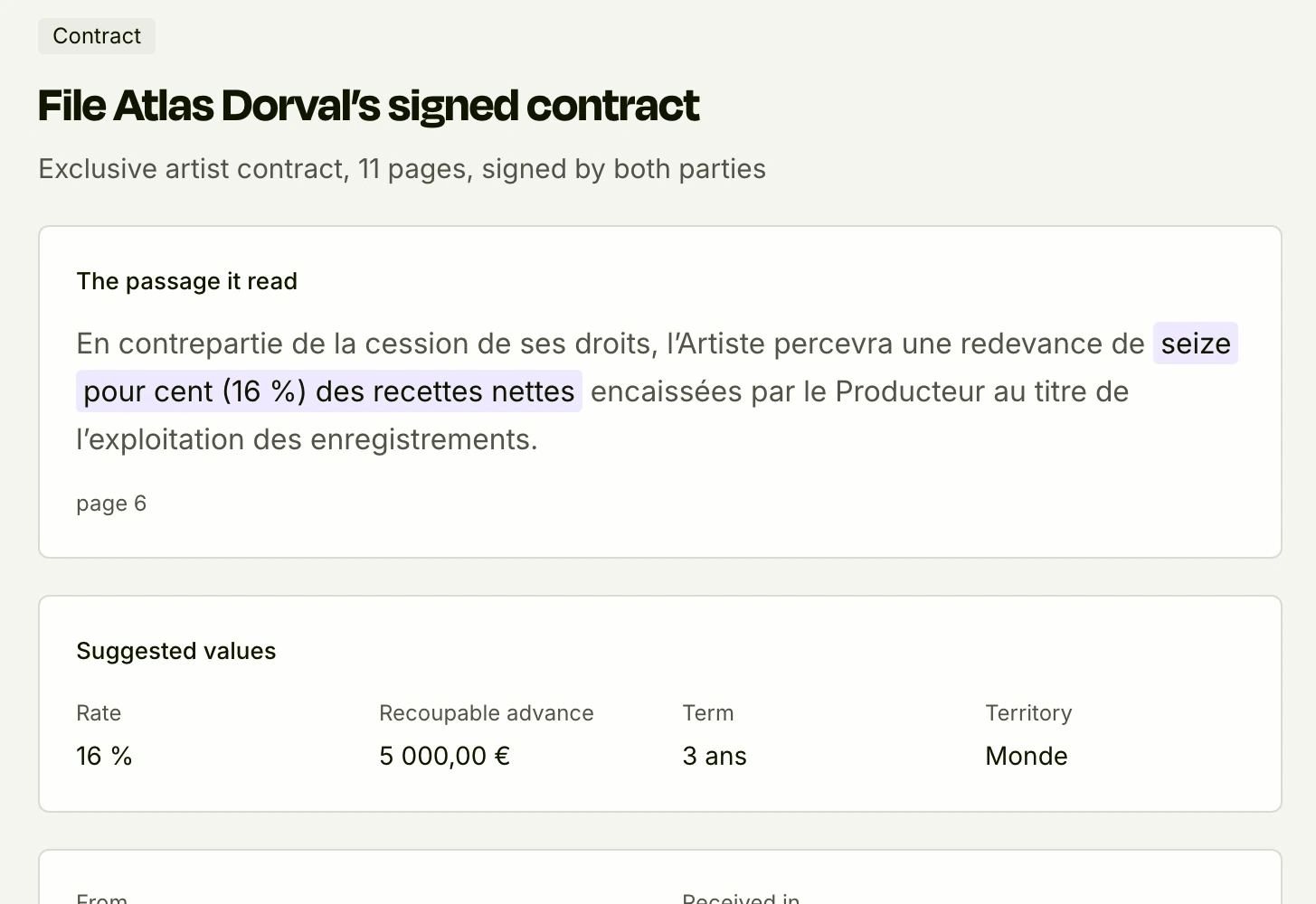
The AI reads, you approve
Rate, advance and amounts suggested from your contracts and invoices, with the passage quoted.
See it in detail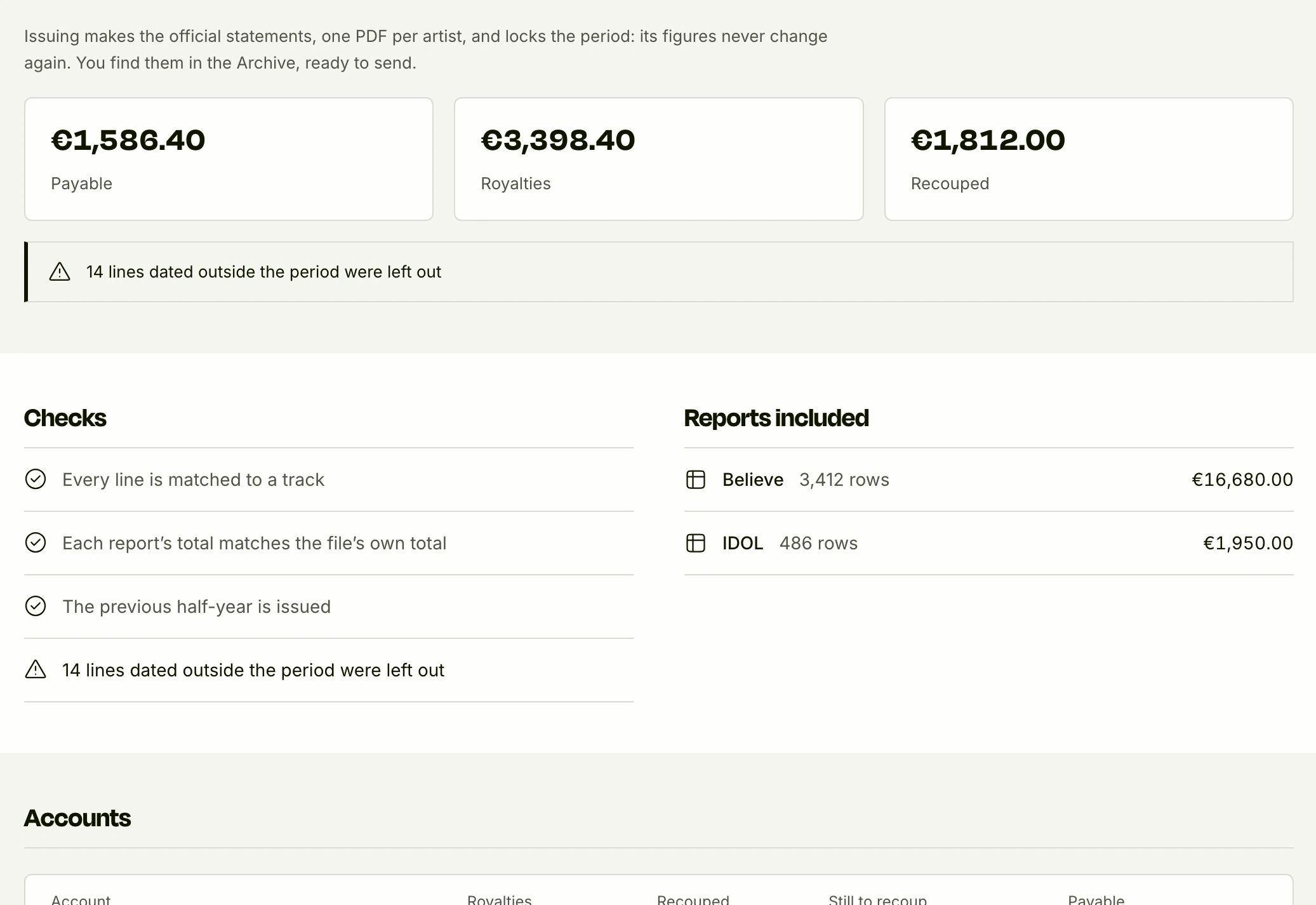
The maths, to the cent
A tested engine does the maths, never the AI. Every figure points to its report lines.
See it in detail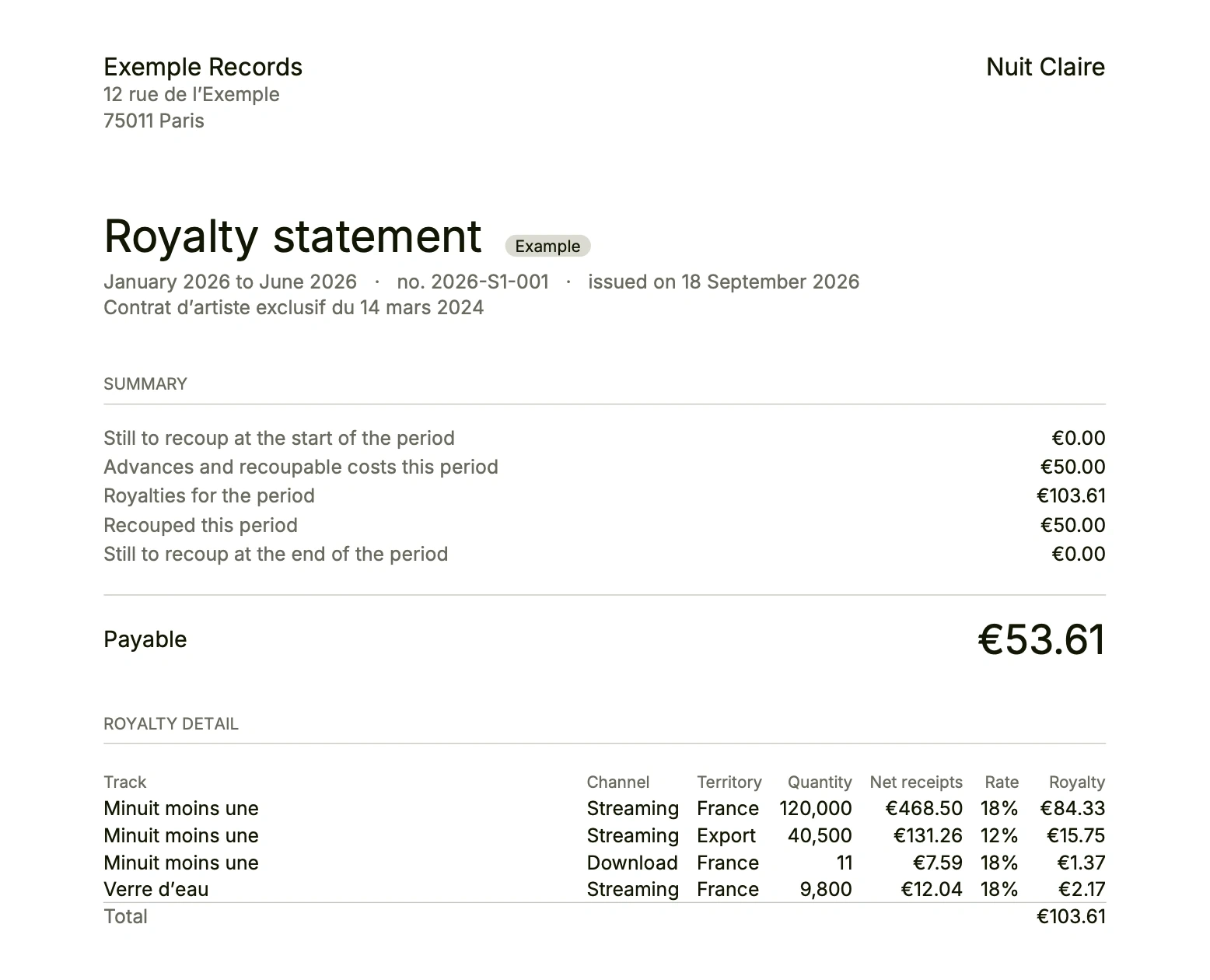
Statements your artists can check
One PDF per artist, the line-by-line detail, sent from your mailbox.
See it in detail
See it on your own figures
Early access, free for the first 10 labels. We show you Labelmate with your contracts and your reports.